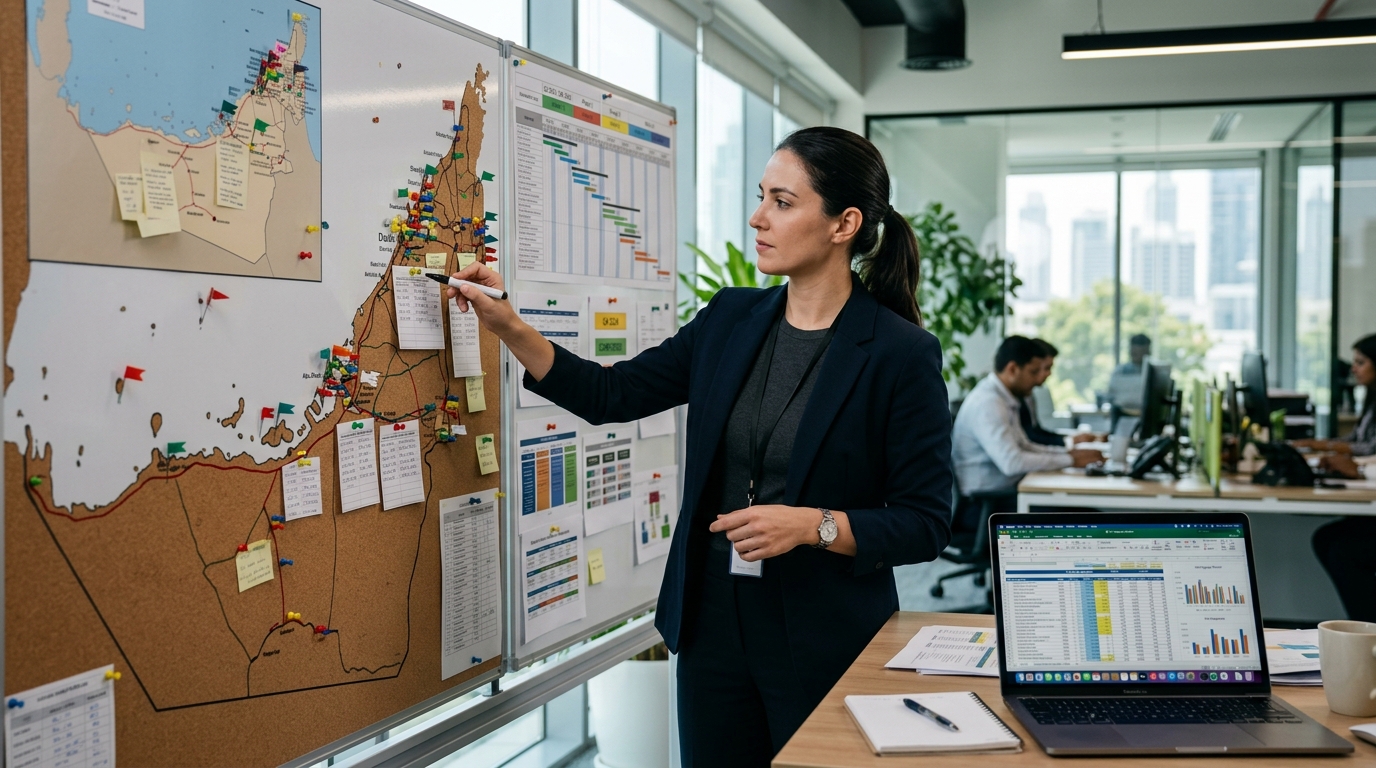
Managing digital signage across more than a handful of locations by hand — updating each screen’s media player individually — stops being practical fast. Cloud-based content management systems (CMS) solve this by centralising scheduling, monitoring and content distribution for every screen in a network from a single web dashboard, regardless of where the physical screens sit. For UAE retail chains, hospitality groups and healthcare networks running screens across multiple emirates or GCC markets, this is now the operational baseline rather than a nice-to-have.
How a cloud CMS actually works
Each screen connects to a small media player (a dedicated appliance, or increasingly the display’s built-in system-on-chip) that pulls its playlist and assets from the cloud platform over the internet. Content, scheduling rules and playlists are authored once in the central dashboard and pushed out to whichever screens, groups or locations the operator targets — a single store, a region, or the entire network. Updates typically propagate within minutes, and the player caches content locally so a screen keeps playing its last-synced playlist even during a brief connectivity drop.
What centralised management actually enables
- Location-level and group-level targeting — push a UAE-wide promotion to every screen, or a store-specific offer to one branch, from the same dashboard
- Scheduled and dayparted content — breakfast menus swap to lunch automatically; after-hours screens can show different content or power down entirely
- Role-based access — head office controls brand-wide templates while local managers fill in store-specific fields (price, local promotion) within an approved template, without needing design skills
- Remote troubleshooting — most platforms report player status, so a screen gone offline in Sharjah is visible to a facilities team in Dubai without a site visit
- Emergency broadcast override — a single command can push safety or urgent messaging across the entire network instantly
What to check before choosing a platform
| Consideration | Why it matters |
|---|---|
| Offline playback resilience | UAE sites vary in connectivity quality; the player should keep running the last playlist if the connection drops, not go blank |
| Multi-user permission structure | Prevents a single store manager from editing brand-wide templates or another location’s content |
| Hardware compatibility | Confirm the CMS supports your chosen display’s built-in player or the external media player being installed |
| Data residency / hosting region | Relevant for operators with internal data governance policies around where content and analytics data is hosted |
| API/integration options | Needed if pulling live data feeds — pricing, queue times, prayer times, weather — into content automatically |
| Reporting and proof-of-play | Important if screens carry paid third-party advertising or need compliance evidence of content playing as scheduled |
Practical benefits for UAE multi-site operators
The clearest return on a cloud CMS is time: a marketing team updating one promotional creative once, rather than physically visiting or remotely accessing dozens of individual players. The second is consistency — brand-wide templates ensure a Ras Al Khaimah branch and a Dubai flagship display the same approved messaging, with only the permitted local fields changed. The third is uptime visibility: for a hospitality group running lobby, restaurant and meeting-room screens, knowing immediately which displays are offline avoids a guest-facing blank screen going unnoticed for days.
Getting started
Migrating an existing multi-site screen network onto a single cloud CMS is usually the harder part — older installations often run on a mix of legacy players and platforms accumulated over several years of piecemeal rollouts. An audit of existing hardware, connectivity at each site, and content workflow needs should come before selecting a platform, since the right CMS depends as much on the existing hardware estate as on feature checklists.
FAQ
Does a cloud CMS require a permanent internet connection at every screen?
A connection is needed to receive updates, but most players cache content locally and continue playing through short outages; extended outages will eventually show stale content until reconnected.
Can existing non-cloud digital signage be migrated to a cloud CMS?
Often yes, if the existing media players are compatible with the new platform, or by replacing players while keeping the display panels themselves.
How many screens justify moving to a centralised cloud platform?
There’s no fixed threshold, but the operational case strengthens quickly beyond 5–10 screens across more than one physical site.
Can local store managers be prevented from editing brand-wide content?
Yes, role-based permissions in most platforms allow head office to lock template elements while giving local users limited, approved edit fields.
Is cloud CMS data secure for retail and healthcare environments?
Reputable platforms use encrypted connections and access controls; healthcare and other regulated operators should confirm the platform’s specific security certifications against their compliance requirements.
Metroplus specifies and deploys cloud-managed digital signage networks for multi-site UAE operators, from hardware selection through CMS setup. Contact us to plan a network built for centralised control.
Recommended Posts
LED Signage Retrofit: Repair or Replace Your Lighting
Should you repair, retrofit or replace an illuminated sign? An unlit or uneven sign does not always need complete replacement. It may need a local rep...

Signage Vendor Checklist for Architects and Consultants
A signage vendor checklist for architects and consultants Selecting a signage vendor requires more than comparing a finished photograph and a lump-sum...